

Listen for Webhook Events
Create a webhook subscription, configure your endpoint to respond and verify signatures, and allowlist Payloco IPs to receive webhook notifications. For an overview of how webhooks work, delivery behavior, and security, see the Webhooks Overview.Before You Begin
You must have the Developer, Admin, or Owner role in the Payloco Web App.Create a Webhook Subscription
Subscribe to webhooks by registering a notification URL and selecting the events you want to receive. When one of those events occurs on your account, Payloco sends a JSON payload to your URL via HTTP POST. Steps to create a webhook subscription:- Log in to the Payloco Web App and go to Developer > Webhooks.
- Click New webhook and configure the notification URL and the events to listen for.
- Fill in the following fields on the Create webhook page:
- Name: The name of your webhook subscription.
- Notification URL: The URL to receive webhook notifications.
- API version: The API version used by the webhook, which determines the structure of notifications you receive, including event names and payload fields. Defaults to the API version configured for your account.
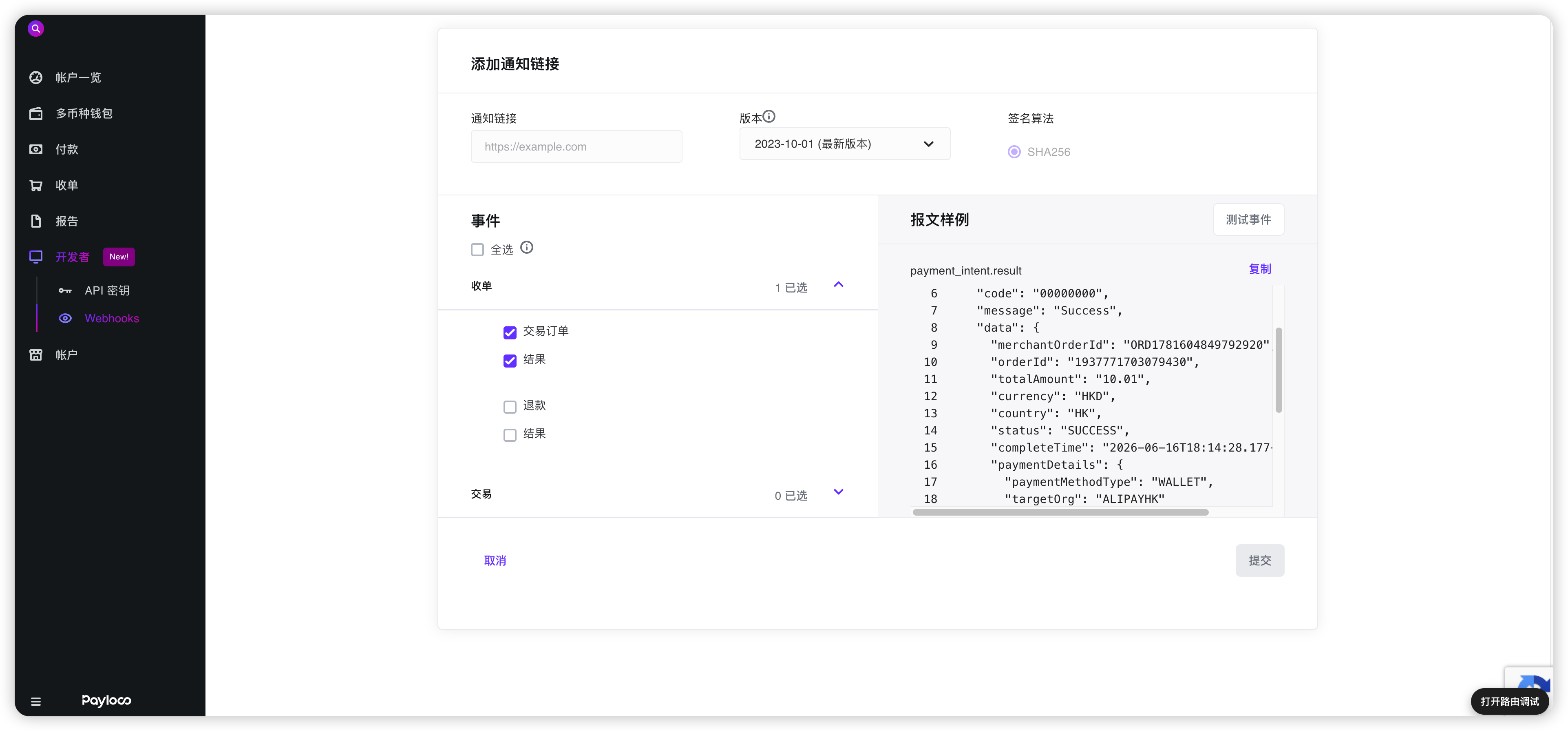
- Select the events for the webhook to listen for.
- Click Submit to create the webhook subscription.
[Info] You can preview a sample payload by selecting an individual webhook event.
Delivery Headers
HTTP POST payloads sent to your webhook notification URL include the following special headers:Webhook Payload
The webhook payload is sent as JSON in the POST request body. The full details of the event are included and can be used directly after parsing the JSON into an Event object. Theid field corresponds to the event ID in the Web App.
The Event object contains the following fields:
Respond to Webhook Events
Your endpoint must acknowledge all notifications by returning an HTTP200 OK status code with the following response body. If Payloco does not receive a 200 OK response (due to timeout or any other status code), the delivery is considered failed and will be retried. To prevent timeouts, send the response immediately.
Verify Webhook Signatures
Payloco attaches a signature to the webhook request header sent to your notification URL so you can verify that the event was sent by Payloco. Before verifying signatures, retrieve the secret key for your notification URL from the Web App. Each secret is uniquely bound to its corresponding URL. Once configured, Payloco will sign every webhook sent to that URL.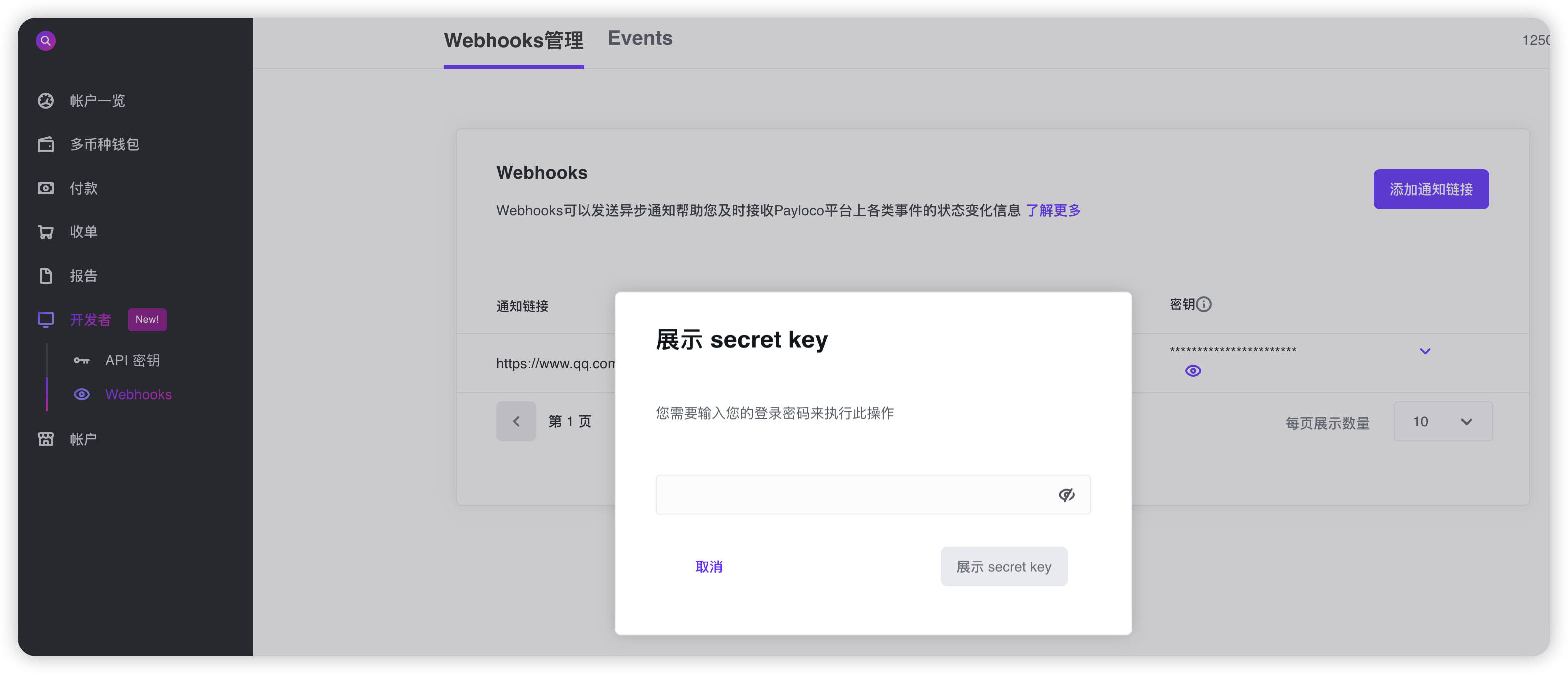
[Important]
Webhook signatures for test events are generated using the secret key provided in the client-secret-key header of the test event payload.
Follow these steps to verify the signature:
- Extract
x-timestampandx-signaturefrom the headers. - Prepare the
value_to_digeststring by concatenatingx-timestamp(as a string) and the raw JSON payload (request body string). - Compute the HMAC using the SHA-256 hash function, with the notification URL’s secret key as the key and
value_to_digestas the message. - Compare
x-signaturefrom the header with the computed signature. If they match, calculate the difference between the current timestamp and the received timestamp, and check whether it falls within your tolerance window.
- Use the raw JSON payload: Always use the original, unmodified request body when computing the signature. Do not use a JSON object that has been parsed and re-serialized, as this may alter formatting (whitespace, key order, etc.) and produce a different signature.
- Verify before parsing: Many JSON libraries automatically format or normalize JSON payloads. Verify the signature before parsing or transforming the body.
- Check the timestamp format: Use the
x-timestampvalue exactly as received in the header — no conversion or reformatting. - Use the correct secret key: Confirm you are using the secret key associated with the notification URL receiving the webhook. Each webhook subscription has its own unique secret key.
- Check concatenation order: The
value_to_digeststring must be constructed in the exact order:x-timestamp(string) followed by the raw JSON payload body.
Code Examples
The following examples show how to verify the signature and return200 on success or 400 on failure, using Java, PHP, and Node.js.
Allowlist IP Addresses
Payloco sends webhook calls from one of the following IP addresses. You must allowlist these IPs to successfully receive webhook calls: Production- 47.76.49.81
- 43.154.97.39
- 47.238.131.34
- 47.242.161.23
- 47.76.76.39
Next Steps
Now that you can receive and verify webhooks, you can:- View and re-trigger webhook events to inspect and redeliver events in the Web App.
- Browse event types and payload examples by product.